Controls
PC Controls
- Mouse: Navigate the game and select controls.
- Click and Drag: Resize the mystery silhouette.
- Zoom Controls: Zoom in or out for a clearer size comparison.
- Lock In: Submit your final estimate.
Mobile Controls
- Tap and Drag: Adjust the size of the silhouette.
- Tap: Use zoom controls and submit your estimate.





Size It Up
Size It Up Overview
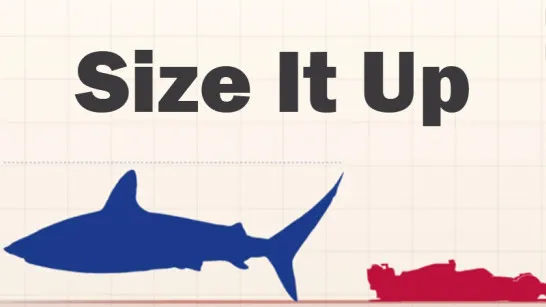
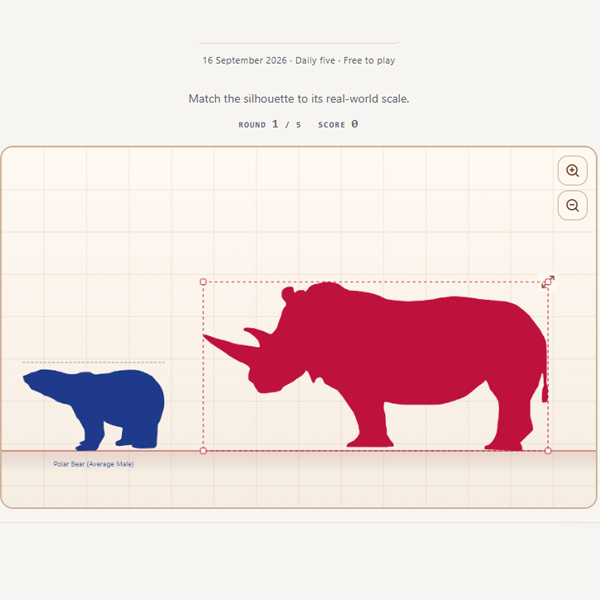
Size It Up is a visual estimation and scale-comparison puzzle game that challenges you to judge the real-world size of animals, objects, places, and other subjects. Each round presents a correctly scaled reference object alongside a mystery silhouette, and your goal is to resize the silhouette until its proportions look accurate relative to the reference. Instead of memorizing exact measurements, you can use visual clues, size ratios, and comparison to make an educated estimate. Once you lock in your answer, the game reveals the actual size, compares it with your estimate, and awards points based on accuracy. With five rounds per game, a maximum score of 500 points, daily challenges, Size It Up turns real-world scale and measurement into a simple test of visual judgment.
Core Gameplay Mechanic
The basic steps are: compare → resize → estimate → lock in → score.
- Study the Reference: Use the correctly scaled object as your visual guide.
- Resize the Silhouette: Adjust the mystery subject until its size looks proportional to the reference.
- Zoom for a Better View: Zoom in or out when comparing objects with very different scales.
- Lock In Your Estimate: Submit your answer to reveal the actual measurement and see how close you were.
- Score for Accuracy: Each round awards up to 100 points, with five rounds offering a maximum total of 500.
Game Controls Guide
PC Controls
- Mouse: Navigate the game and select controls.
- Click and Drag: Resize the mystery silhouette.
- Zoom Controls: Zoom in or out for a clearer size comparison.
- Lock In: Submit your final estimate.
Mobile Controls
- Tap and Drag: Adjust the size of the silhouette.
- Tap: Use zoom controls and submit your estimate.
Tips for Size It Up
- Think in Ratios: Ask whether the mystery subject should be twice as large, half the size, or only a fraction of the reference.
- Use Familiar References: Estimate the known object's dimensions first, then compare the silhouette against it.
- Compare Proportions: Focus on relative height or overall scale rather than guessing an exact measurement immediately.
- Use Zoom Carefully: Zooming helps when two subjects have dramatically different real-world sizes.
- Adjust Before Locking In: Small resizing changes can make a significant difference to your accuracy and score.
Size It Up makes a simple question “How big is that really?” into a quick visual puzzle. Put your sense of scale to the test, resize each silhouette, and see how close you can get to a perfect 500-point score.
Discuss Size It Up