
Controls
- WASD: Move.
- Mouse: Look around.
- Left Mouse Button: Interact with objects and select options.
- Esc: Open the pause menu.















Overview of Mouthwashing Game
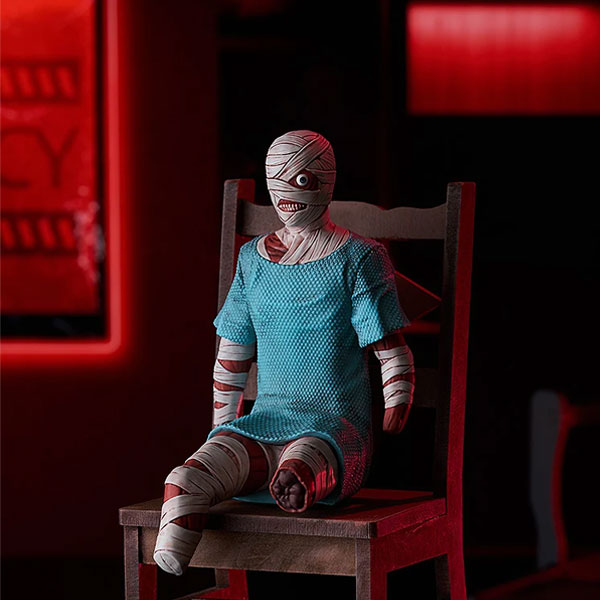
Mouthwashing is a first-person psychological horror game that follows the crew of the Tulpar, a cargo ship stranded in deep space after a devastating crash. Captain Curly is severely injured, supplies are running low, and tension is growing among the survivors. As you explore the ship, ordinary conversations begin to reveal something far more disturbing than the accident itself.
Rather than relying on constant monster attacks, Mouthwashing creates fear through isolation, unsettling imagery, and the crew's deteriorating relationships. The story moves between events before and after the crash, gradually revealing details that change how you understand the characters.
Explore the Tulpar and Piece Together the Truth
Your main objective is to explore the damaged spaceship and uncover the events that led to the crew's desperate situation. Instead of fighting monsters or collecting weapons, you progress by investigating your surroundings, interacting with characters, and solving environmental puzzles.
Investigate the Ship
Move through the Tulpar's corridors and rooms, examining objects that may reveal useful information. Some areas require you to find specific items or complete small tasks before you can continue. Pay attention to your surroundings, as even ordinary objects can provide clues about the crew's past.
Follow the Story Across Different Timelines
The narrative shifts between moments before and after the crash, gradually revealing what happened aboard the ship. Listen carefully to conversations and notice how the characters' behavior changes. As new details emerge, you'll begin connecting earlier events with the crew's current situation.
There is no traditional combat system to master. Progress depends on observation, exploration, and understanding the story as it unfolds.
Game Controls
- WASD: Move.
- Mouse: Look around.
- Left Mouse Button: Interact with objects and select options.
- Esc: Open the pause menu.
Tips for Exploring the Ship
- Examine your surroundings: Small details can provide important clues.
- Follow the dialogue: Conversations help explain the crew's situation.
- Remember earlier scenes: The story does not unfold in chronological order.
- Check interactive objects: Some puzzles require items found elsewhere.
- Take your time: Understanding the story matters more than moving quickly.
Similar Horror Games
Discuss Mouthwashing