Controls
PC
- WASD / Arrow Keys: Move
- Left Mouse Button: Shoot
- Right Mouse Button: Aim
- Space: Jump
- Shift: Sprint
- C: Crouch
- R: Reload
- 1–4: Switch weapons
- G: Throw grenade
- F: Change camera view
- Tab: Player list
Mobile
- Joystick: Move
- On-screen Buttons: Shoot, aim, jump, crouch, reload, and change view











Combat Online 2
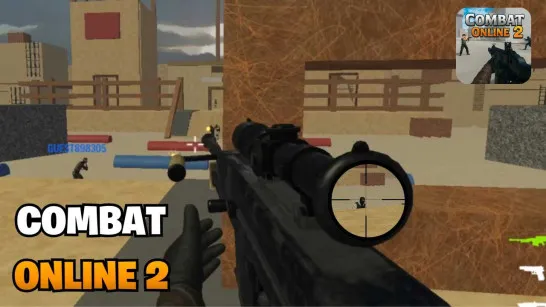
Combat Online 2 Takes FPS Battles Beyond the Arena
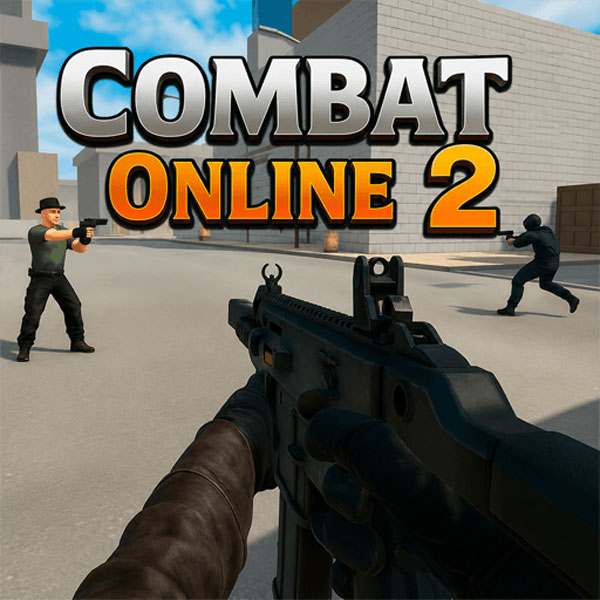
Combat Online 2 is a 3D multiplayer FPS where you battle online players across a huge collection of community-made maps. Jump into Deathmatch or Team Deathmatch for competitive gunfights, then switch to Zombie, Parkour, or Puzzle maps for a different challenge. You can use multiple weapons, earn XP, unlock cosmetics, climb the rankings, or create and publish maps through the built-in editor. With player-created content constantly expanding the battlefield, no two sessions need to play the same way.
How to Join the Combat Area Online?
Combat maps are built around fast movement and gunfights. Aim, shoot, switch weapons, use grenades, and reposition around the map to eliminate opponents. Deathmatch puts everyone against each other, while Team Deathmatch rewards coordination with your squad.
Not every map is about PvP. Zombie maps focus on survival, while Parkour and Puzzle maps test movement and problem-solving instead.
The map editor lets you build custom arenas and challenges, then publish them for other players to try and rate. This community system keeps adding new battlegrounds beyond the standard maps and gives you something to do besides chasing eliminations.
FPS Controls
PC
- WASD / Arrow Keys: Move
- Left Mouse Button: Shoot
- Right Mouse Button: Aim
- Space: Jump
- Shift: Sprint
- C: Crouch
- R: Reload
- 1–4: Switch weapons
- G: Throw grenade
- F: Change camera view
- Tab: Player list
Mobile
- Joystick: Move
- On-screen Buttons: Shoot, aim, jump, crouch, reload, and change view
Quick Combat Tips
- Reload in cover: Don't get caught with an empty weapon.
- Keep moving: Staying still makes you an easy target.
- Watch chokepoints: Learn where enemies frequently appear.
- Change weapons by range: Adapt your loadout to the map.
- Use third-person for parkour: It can make landings easier to judge.
Pick a battlefield or build one yourself, then jump into the action in Combat Online 2.
Similar Games to Test Your Shooting Skill
Discuss Combat Online 2