Controls
- Mouse: Look around and interact with tools.
- C: Crouch.
- WASD / Arrow Keys: Drive when controlling a vehicle.
- Space: Brake while driving.
- V: Control a linked character or vehicle.
- B: Switch between first-person and third-person views when controlling a character.
- Esc: Open the menu.

















Ketchup and Doll
Ketchup and Doll: A Physics Sandbox Without Limits
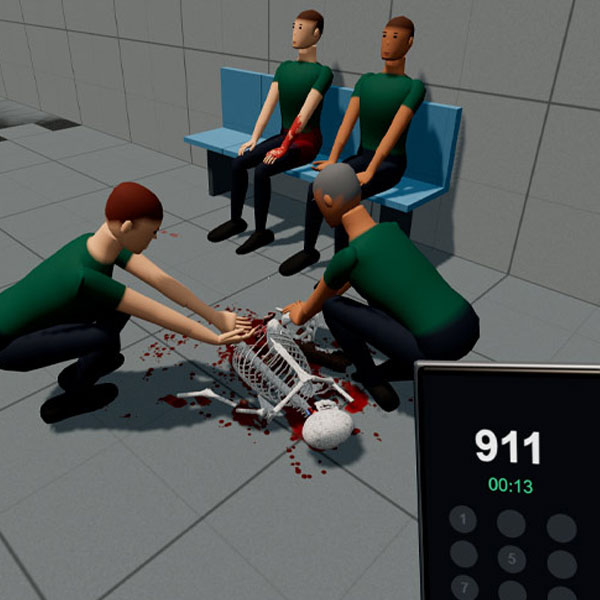
What happens when you turn an ordinary playground into a world of unpredictable physics? Ketchup and Doll is a 3D sandbox simulation game where you can experiment with ragdoll characters, weapons, vehicles, and interactive environments. It lets you create your own scenarios instead of following a fixed storyline. Test how objects collide, explore different maps, and observe how characters respond to your actions. From vehicle crashes to complex physics experiments, the game offers plenty of ways to discover unexpected interactions.
Explore the Sandbox and Create Your Own Experiments
There is no single objective or traditional victory condition. You decide what to build, test, or explore.
Experiment with Ragdoll Physics
Place characters in different environments and interact with them using the available tools. Their movements and reactions are influenced by a detailed physics system, creating unpredictable results.
You can also explore how objects, doors, and other environmental elements respond to physical forces.
Test Weapons, Vehicles, and Scenarios
Experiment with firearms, explosives, and interactive equipment. Vehicles introduce another layer of physics, allowing you to observe collisions, damage, and movement.
Different maps and scenarios provide new settings for your experiments. Customization and modding features offer additional ways to expand the sandbox.
Game Controls
- Mouse: Look around and interact with tools.
- C: Crouch.
- WASD / Arrow Keys: Drive when controlling a vehicle.
- Space: Brake while driving.
- V: Control a linked character or vehicle.
- B: Switch between first-person and third-person views when controlling a character.
- Esc: Open the menu.
Tips for Creative Sandbox Experiments
- Start simple: Test basic physics before combining tools.
- Explore maps: Discover new places for experiments.
- Test vehicles: Experiment with speed and collisions.
- Customize setups: Try different characters and equipment.
- Improve performance: Limit active objects to reduce lag.
Similar Physics Games
Discuss Ketchup and Doll