Controls
PC Controls
- Left Click: Select stickers and interface options.
- Click and Drag: Place or reposition stickers.
- Drag Handles: Resize or rotate a selected sticker.
- Toolbar: Flip, change layers, switch designs, or remove stickers.
- Drag Empty Space: Pan around the room.
- On-Screen Controls: Zoom and browse sticker sheets.
Mobile Controls
- Tap: Select stickers and options.
- Tap and Drag: Place or move stickers.
- Pinch: Zoom in or out.
- Drag Empty Space: Move around the room.






















Cornerlet
Overview of Cornerlet
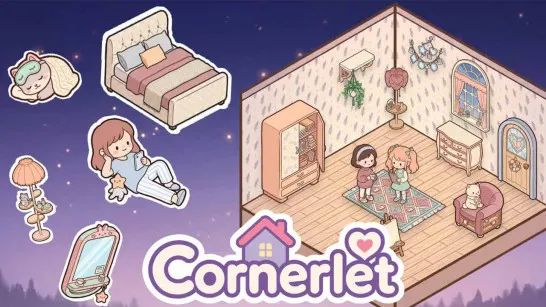
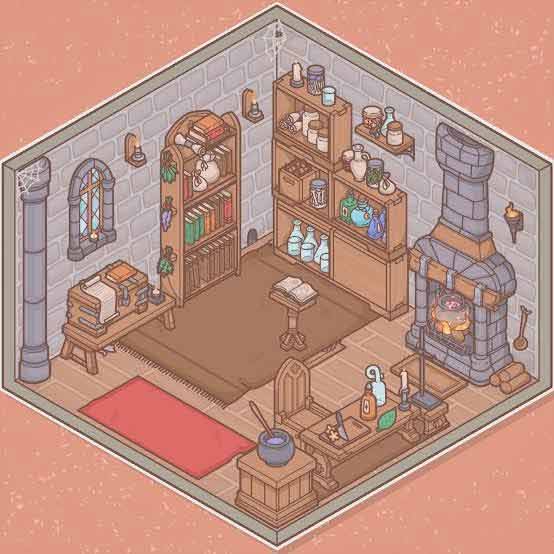
Cornerlet is a cozy 2D decoration game where you turn small rooms into personalized spaces using colorful stickers. Choose a room, browse through sticker sheets, and fill the space with furniture, plants, snacks, cats, little creatures, and other decorative objects. Stickers can be moved, resized, rotated, flipped, and layered, giving you plenty of freedom to create your own arrangement.
There are no timers, scores, or fail conditions to worry about. You can decorate at your own pace, experiment with different layouts, and keep adjusting your room until it feels complete.
Core Gameplay Mechanic
Cornerlet keeps decorating simple and open-ended. Start by choosing a room, then browse the available sticker sheets and select anything you want to add.
Once placed, stickers can be moved, resized, rotated, flipped, or layered in front of and behind other objects. This lets you combine individual decorations into more detailed scenes, whether you're creating a comfortable reading corner, filling shelves with small items, or adding plants and creatures around the room.
With hundreds of stickers to experiment with, there is no single correct design. You decide when your corner is finished.
Game Controls Guide
PC Controls
- Left Click: Select stickers and interface options.
- Click and Drag: Place or reposition stickers.
- Drag Handles: Resize or rotate a selected sticker.
- Toolbar: Flip, change layers, switch designs, or remove stickers.
- Drag Empty Space: Pan around the room.
- On-Screen Controls: Zoom and browse sticker sheets.
Mobile Controls
- Tap: Select stickers and options.
- Tap and Drag: Place or move stickers.
- Pinch: Zoom in or out.
- Drag Empty Space: Move around the room.
Tips for Decorating in Cornerlet
- Start With Larger Furniture: Place major pieces first, then use smaller stickers to fill the remaining space.
- Use Different Layers: Put objects in front of or behind each other to make your room feel more detailed.
- Experiment With Size: Resizing stickers can help different decorations fit together naturally.
- Mix Different Objects: Combine furniture, plants, food, animals, and small decorations instead of sticking to one type.
- Keep Rearranging: Nothing is permanent, so move or rotate objects whenever the layout doesn't feel right.
- Save Your Favorite Design: Keep a picture of your finished corner once you're happy with the result.
Ready to create your own cozy corner? Play Cornerlet, pick your favorite stickers, decorate every little space, and make the room completely your own.
Discuss Cornerlet