Controls
- WASD - Move
- Spacebar - Jump
- Left Mouse Button - Interact with blocks
- 1–9 - Select blocks or items from the hotbar

BlockCraft
Overview of BlockCraft
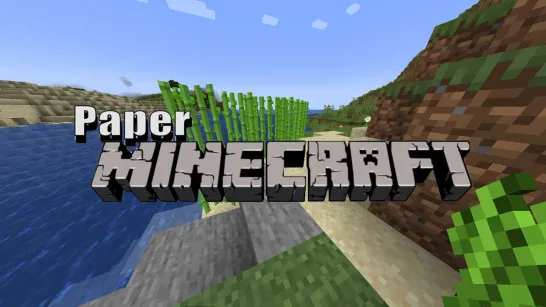
BlockCraft is a 3D voxel sandbox game built around exploring blocky environments and shaping the world through building. Its forests, hills, vegetation, and open terrain give you plenty of places to wander before deciding where your next construction should begin. More importantly, the game offers both Survival and Creative modes, letting you choose what kind of sandbox experience you want before entering the world. With first-person movement, block interaction, and a familiar numbered hotbar, BlockCraft turns a simple cube-based landscape into a playground for exploration and creativity.
Core Gameplay Mechanic
BlockCraft combines voxel exploration and block-based construction, with Survival and Creative providing two different ways to approach its world.
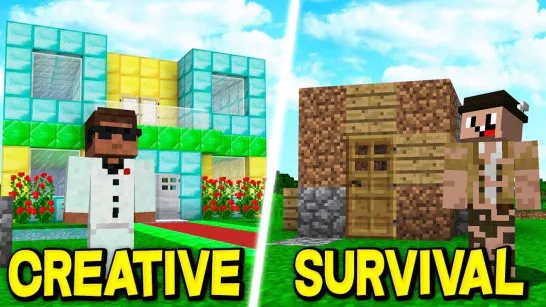
Choose Between Survival and Creative
Your first major decision is the game mode:
- Survival - Explore with visible health and hunger meters adding survival management to the experience.
- Creative - Focus on experimenting with the block-building side of the sandbox.
This choice gives BlockCraft more flexibility than a building game centered around only one play style. You can approach the world as a place to survive in or as space for your next creative project.
Explore and Find a Place to Build
The world is presented from a first-person perspective, putting you directly inside its voxel environment. Forests, vegetation, hills, and other natural terrain can all influence where you decide to start building. Instead of working from a blank construction screen, you can move through the landscape, inspect different areas, and choose surroundings that suit whatever you want to create.
Build With Blocks and Shape the World
Blocks and items are accessible through the numbered hotbar, allowing you to switch between available materials as you work. You can interact directly with blocks using the mouse, making construction part of normal exploration rather than a separate game mode or editor. There is no need to make the first version perfect; changing the world is part of the sandbox.
Game Controls Guide
- WASD - Move
- Spacebar - Jump
- Left Mouse Button - Interact with blocks
- 1–9 - Select blocks or items from the hotbar
BlockCraft Building and Exploration Tips
- Scout before building - Explore the surrounding terrain and find a location that fits your idea.
- Start with the foundation - Establish the basic shape before spending time on smaller details.
- Use different blocks - Mixing materials can give walls, paths, roofs, and other structures more visual variety.
- Watch your status in Survival - Keep an eye on the visible health and hunger indicators while exploring.
- Rebuild freely - If a structure does not look right, change the layout and experiment with another design.
Enter the voxel world of BlockCraft and start shaping it one block at a time.
Play More Sandbox Games
Discuss BlockCraft