Controls
PC
- WASD / Arrow Keys: Move
- Mouse: Navigate menus and select options
- Tab: Toggle the cursor
- Shift: Sprint/run faster
Mobile
- Virtual joystick: Move your character
- Tap: Select menus and interact with interface buttons















Obby: +1 Shrink per Step
Overview of Obby: +1 Shrink per Step
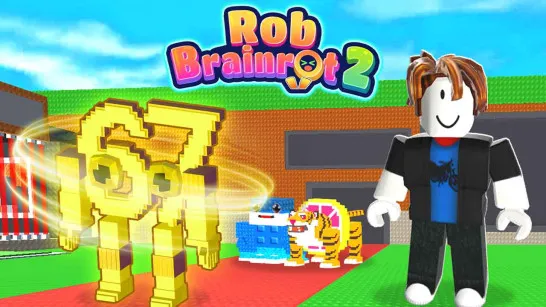
Obby: +1 Shrink per Step is a casual 3D simulation game with a Roblox-style obby twist: the more you move, the smaller your character becomes. Instead of focusing on difficult jumps or reflex-heavy platforming, the core gameplay is built around running to gain Shrink, reaching the required size, and making it to the Win button in each zone. Your character progresses through levels while a growing Shrink multiplier makes every step more valuable, turning simple movement into an incremental progression loop. Rebirth pushes that loop further by giving you a reason to reset and work toward faster future progress. Easy to understand but satisfying to build up, the game turns one silly idea - getting smaller with every step - into a steady race for more wins, higher levels, and stronger multipliers.
Core Gameplay Mechanic
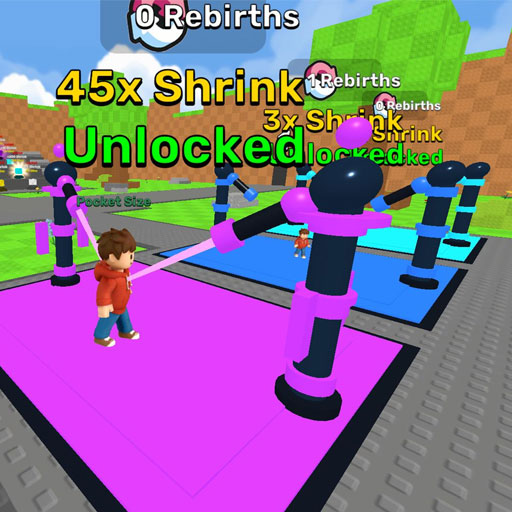
The whole game revolves around one unusual rule: movement creates Shrink. Instead of running through an obby purely to dodge obstacles, your steps directly contribute to character progression.
Walk, Shrink, and Reach the Win Button
Each zone gives you a Shrink target to work toward. Keep moving around the course to accumulate enough Shrink, then make your way to the Win button to complete the objective. Your current level and progress are displayed at the bottom of the screen, so it is easy to see how close you are to the next milestone.
Early progress starts small, but the requirements rise as you advance. That makes walking more than basic navigation - the distance you cover is effectively part of the progression system.
Level Up and Increase Your Shrink Multiplier
Wins feed into your progression and help you reach higher levels. As shown in the game, your character can progress from a x1.0 multiplier into stronger Shrink values, meaning later runs can build Shrink more efficiently.
This creates a straightforward simulator-style loop: move to gain Shrink, complete the current objective, improve your progression, and use that increased power to tackle larger requirements.
Rebirth for Faster Progress
Rebirth adds a longer-term progression layer. Rather than endlessly pushing the same run, you can reset and gain an advantage that helps subsequent progression move faster. The interface displays a Rebirth multiplier, making it worth considering once ordinary progress begins to slow.
Game Controls
PC
- WASD / Arrow Keys: Move
- Mouse: Navigate menus and select options
- Tab: Toggle the cursor
- Shift: Sprint/run faster
Mobile
- Virtual joystick: Move your character
- Tap: Select menus and interact with interface buttons
Tips for Progress and Rebirth
- Keep moving: More steps mean more Shrink progress.
- Watch the requirement: Check how much Shrink you need before heading for the Win button.
- Use your multiplier: Higher multipliers make later Shrink targets easier to reach.
- Rebirth at the right time: Consider resetting when regular progression becomes noticeably slower.
- Sprint when possible: Faster movement helps you cover more ground and build progress efficiently.
Shrink with every step, build your multiplier, and see how tiny your character can get as you push through each new zone.
Play More Obby Games
Discuss Obby: +1 Shrink per Step