
Controls
PC:
- WASD / Arrow Keys: Move players.
- Space / Enter / X / G: Perform actions such as snapping, passing, hurdling, diving, or kicking.
- Up / Down: Select a receiver.
- Arrow Keys / Mouse: Choose plays.
- P / Esc: Pause.
- M: Toggle sound.
Local 2-Player:
- Player 1: WASD to move; G to act.
- Player 2: Arrow Keys to move; L to act.
Mobile:
- Virtual Joystick: Move players.
- GO Button: Perform actions.
- Tap: Select play cards.




















Retro Football
Retro Football – Classic Pixel Football
Retro Football brings American football to life with colorful pixel graphics, quick 6v6 matches, and simple arcade controls. Instead of managing complicated formations, you jump straight into the action, choosing plays, throwing passes, dodging tackles, and scoring touchdowns. Each match lasts around seven minutes, keeping the competition fast and engaging.
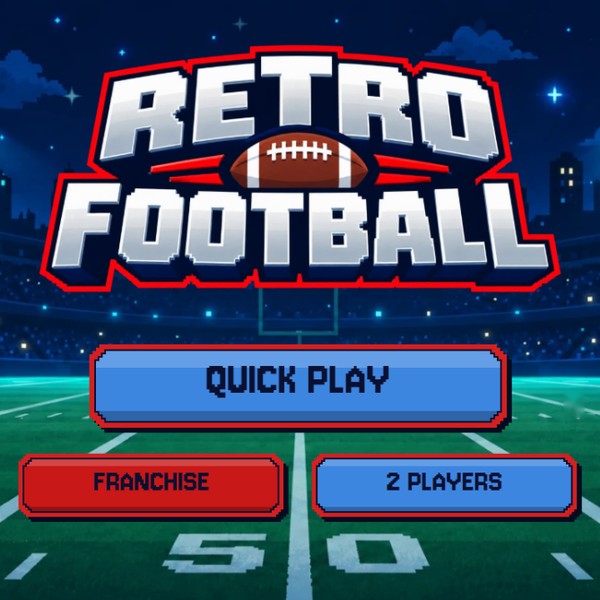
Beyond individual matches, you can lead a team through a full Franchise season, fight for the Retro Cup, or challenge a friend on the same device. With 32 teams, different player strengths, and unlockable plays, the game combines accessible controls with enough tactical depth to reward smart decisions.
How to Play Retro Football
Your objective is to score more points than your opponent by combining effective offense with well-timed defensive plays.
Call Plays and Control the Action
Before each snap, choose one of four play cards. On offense, decide whether to run with the ball or attempt a pass. Look for open receivers, avoid defenders, and time your hurdles to escape tackles.
When defending, close down passing lanes, chase the quarterback, and dive toward ball carriers to prevent touchdowns. Mixing different plays makes your strategy harder to predict.
Scoring follows standard American football values: touchdowns earn 6 points, field goals 3, extra-point kicks 1, and two-point conversions or safeties 2.
Build Your Championship Run
Start with Quick Play to practice individual matches, or enter Franchise Mode for a 17-week season followed by the playoffs. Win your way to the Retro Cup while unlocking new teams and special plays after every three victories.
For head-to-head competition, select 2 Players Mode and share the keyboard with a friend.
Game Controls
PC Controls
- WASD / Arrow Keys: Move players.
- Space / Enter / X / G: Perform actions such as snapping, passing, hurdling, diving, or kicking.
- Up / Down: Select a receiver.
- Arrow Keys / Mouse: Choose plays.
- P / Esc: Pause.
- M: Toggle sound.
Local 2-Player Controls
- Player 1: WASD to move; G to act.
- Player 2: Arrow Keys to move; L to act.
Mobile Controls
- Virtual Joystick: Move players.
- GO Button: Perform actions.
- Tap: Select play cards.
Tips for Winning More Games
- Read the defense: Choose plays that exploit gaps in the opposing formation.
- Vary your offense: Alternate between passing and rushing to stay unpredictable.
- Protect possession: Throw toward open receivers rather than forcing risky passes.
- Time your tackles: Close the distance before diving at a ball carrier.
- Take easy points: Practice field goals to capitalize on difficult offensive drives.
More American Football Games
Discuss Retro Football