
Controls
- Steering: Use the available directional controls to change lanes.
- Acceleration / Brake: Control your speed using the on-screen or configured inputs.
- Nitro: Activate the boost control when available.
- Camera: Switch viewpoints using the game's camera option.



Overview of Traffic Tour
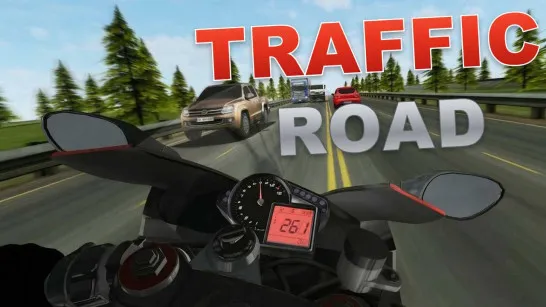
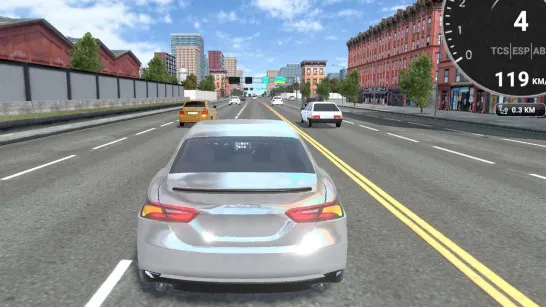
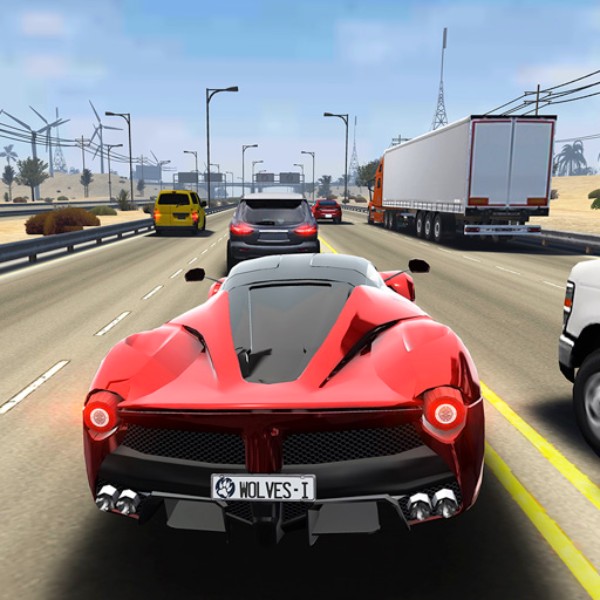
Traffic Tour is a 3D highway racing game that challenges you to drive at high speeds while weaving through busy traffic. Instead of racing exclusively on closed circuits, you share the road with cars, trucks, buses, and other vehicles that can interrupt your run at any moment.
The game combines endless driving with career missions, timed challenges, and real-time multiplayer competition. Overtake traffic to earn rewards, collect blueprints to unlock new cars, and upgrade your vehicle for better performance. With different environments, changing weather conditions, and multiple camera perspectives, this simulation game rewards confident driving without forgiving careless collisions.
Five Ways to Experience Highway Racing
- Career Mode: Complete driving missions to earn rewards and progress.
- Endless Mode: Travel as far as possible through traffic while building your score.
- Time Trial: Test your speed against the clock.
- Free Run: Explore the roads without the pressure of a structured race.
- Multiplayer: Compete against other drivers in real-time races.
How to Play Traffic Tour
Choose a vehicle and enter your preferred mode. Accelerate along the highway, steer between traffic lanes, and avoid collisions with surrounding vehicles.
Unlock Cars and Improve Performance
Collect blueprints and other rewards to expand your garage. As you progress, upgrade your car's speed, handling, and braking capabilities. A faster vehicle can help in competitive races, but responsive steering and reliable brakes are just as important when navigating crowded highways.
Challenge Other Drivers
Enter multiplayer races to compete against real opponents. Use your car's acceleration, lane positioning, and available nitro boost to gain an advantage. Timing matters: a well-placed burst of speed can help you overtake rivals without crashing into traffic.
Game Controls
- Steering: Use the available directional controls to change lanes.
- Acceleration / Brake: Control your speed using the on-screen or configured inputs.
- Nitro: Activate the boost control when available.
- Camera: Switch viewpoints using the game's camera option.
How to Race Better
- Look further ahead: Watch traffic patterns instead of reacting only to the nearest car.
- Avoid unnecessary lane changes: Smooth steering helps maintain speed and control.
- Use nitro on clear roads: Boosting into heavy traffic increases the risk of crashing.
- Collect blueprints: Unlocking better vehicles creates more options for difficult challenges.
- Upgrade handling: Better control can be more valuable than raw speed on crowded highways.
Similar Racing Games
Discuss Traffic Tour