Controls
- WASD - Move
- Mouse - Aim / look around
- Left Mouse Button - Select
- Spacebar - Jump
- C - Bend down / crouch















Obby: Chameleon: Paint & Hide
Overview of Obby: Chameleon: Paint & Hide
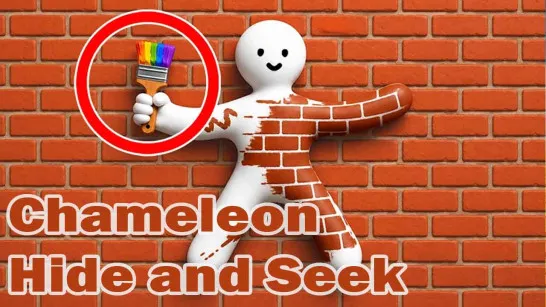
Obby: Chameleon: Paint & Hide turns hide-and-seek into a colorful multiplayer parkour game of camouflage and observation. This platformer asks you to change color, disguise yourself as everyday objects, and blend into the map. It takes inspiration from the viral Meccha Chameleon game but adds a colorful obby twist and can be played directly in your browser with no download required. Depending on your role, you might be hiding as a piece of furniture one round and searching the environment for suspicious objects the next. Abilities such as speed boosts, invisibility, and ice traps add another tactical layer when a disguise fails or a target tries to escape. Challenges, experience, levels, and unlockable skins also give you reasons to keep playing beyond a single match.
Core Gameplay Mechanic
Every round revolves around two opposite skills: hiding convincingly or spotting something that does not belong.
Hide by Blending Into the Map
As a hider, camouflage matters more than simply finding the darkest corner. You can change color and mimic common objects such as barrels, chairs, and other furniture, then position yourself somewhere that makes the disguise look natural.
Placement is especially important. A chair beside similar furniture can disappear into the scene; the same chair sitting strangely in an empty hallway practically sends the seeker an invitation.
Hunt for Suspicious Objects
Playing as a seeker reverses the challenge. Instead of hiding, inspect the environment and look for details that seem wrong: an oddly positioned object, unusual texture, suspicious shadow, or something that simply does not fit its surroundings.
This makes map awareness useful on both sides. Hiders need to understand what looks natural, while seekers need to recognize when another player has broken that visual pattern.
Game Controls Guide
Based on the in-game control panel:
- WASD - Move
- Mouse - Aim / look around
- Left Mouse Button - Select
- Spacebar - Jump
- C - Bend down / crouch
Obby: Chameleon: Paint & Hide Tips
- Disguise logically - Choose an object that actually belongs in your hiding area.
- Match the environment - Use color-changing to make your disguise less noticeable.
- Stay near similar objects - A lone piece of furniture is much easier to notice.
- Watch positioning - Keep close to walls or other scenery to avoid suspicious gaps.
- Save abilities for danger - Speed or invisibility becomes more valuable once a seeker starts checking your position.
In Obby: Chameleon: Paint & Hide, the smartest hiding spot can beat the fastest escape. Pick your disguise, blend into the scenery, and see who notices you first.