Controls
PC
- W / Up Arrow: Accelerate
- S / Down Arrow / Space: Brake or reverse
- A / Left Arrow: Steer left
- D / Right Arrow: Steer right
- E: Perform a stoppie
- Q: Perform a wheelie
- F: Jump off the motorcycle
- C: Change camera view
- Tab / P / Esc: Pause
- Hold Left Mouse Button + Drag: Rotate the camera
Mobile
- Left / Right Buttons: Steer
- Throttle / Brake Buttons: Control speed
- Wheelie / Stoppie Buttons: Perform balance stunts
- Jump-Off Button: Launch the rider off the motorcycle
- Swipe: Rotate the camera
- Pause Button: Pause the game









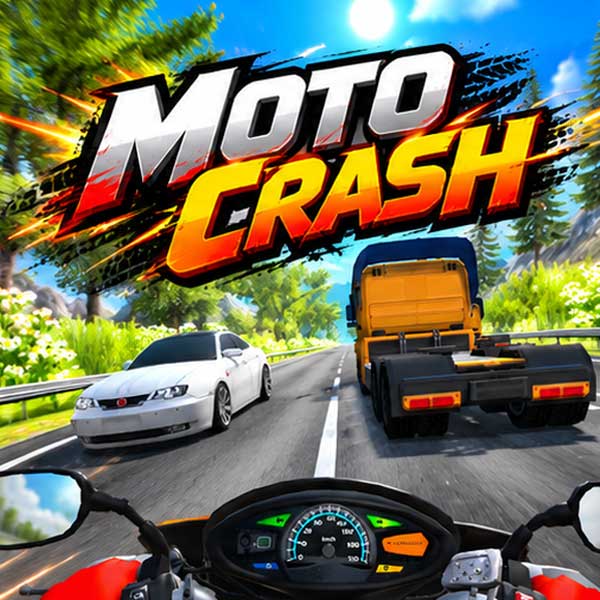
Moto Crash
High-Speed Diving with Moto Crash
Moto Crash is a 3D motorcycle driving game that combines high-speed racing, realistic physics, and dramatic crash simulations. Take control of a motorbike and navigate unpredictable traffic, chase reckless drivers, or test your balance on steep downhill tracks. Cars can suddenly change lanes or cut across your path, making every ride a test of reflexes and vehicle control. When things go wrong, your motorcycle can crash and send the rider flying with ragdoll physics. Beyond the road, you can customize your character, explore different motorcycles, and improve your bike through tuning upgrades.
Four Ways to Test Your Riding Skills
Moto Crash offers different challenges that go beyond traditional motorcycle racing.
- Traffic Mode: Ride through busy roads, avoid unpredictable vehicles, and maintain your speed without crashing.
- Chase Mode: Weave between cars and catch a reckless driver before they escape.
- Deadly Descent: Navigate a dangerous downhill course while trying to keep your motorcycle under control.
- Bonus Mode: Tackle an obstacle course, hit ramps, and perform spectacular jumps.
Each mode tests a different skill, from precise steering and quick reactions to balance and stunt control.
Master Motorcycle Physics and Stunts
Controlling your bike involves more than accelerating and braking. You can perform wheelies by balancing on the rear wheel or attempt stoppies by lifting the rear wheel while braking.
You can also jump off your motorcycle, creating dramatic ragdoll falls and collisions. The game's physics system makes crashes a major part of the experience, whether you hit another vehicle, lose control on a descent, or land badly after a jump.
Between rides, visit the Garage to explore motorcycles, use Tuning to improve your bike, or change your rider's appearance through the Character menu.
Motorcycle Controls
PC
- W / Up Arrow: Accelerate
- S / Down Arrow / Space: Brake or reverse
- A / Left Arrow: Steer left
- D / Right Arrow: Steer right
- E: Perform a stoppie
- Q: Perform a wheelie
- F: Jump off the motorcycle
- C: Change camera view
- Tab / P / Esc: Pause
- Hold Left Mouse Button + Drag: Rotate the camera
Mobile
- Left / Right Buttons: Steer
- Throttle / Brake Buttons: Control speed
- Wheelie / Stoppie Buttons: Perform balance stunts
- Jump-Off Button: Launch the rider off the motorcycle
- Swipe: Rotate the camera
- Pause Button: Pause the game
Tips for Better Riding and Bigger Stunts
- Watch traffic movements: Cars can change lanes unexpectedly, so leave room to react.
- Control your speed on descents: Excessive acceleration makes steep sections harder to navigate.
- Practice wheelies on open roads: Learn to balance before attempting tricks near traffic.
- Use ramps carefully: Approach jumps in a straight line to improve your chances of a controlled landing.
- Try different camera views: Find the perspective that makes upcoming obstacles easier to judge.
In Moto Crash, reaching the finish line is only one part of the fun. Push your motorcycle to its limits, experiment with daring stunts, and discover just how unpredictable every crash can be!
Similar Driving Games
Discuss Moto Crash